
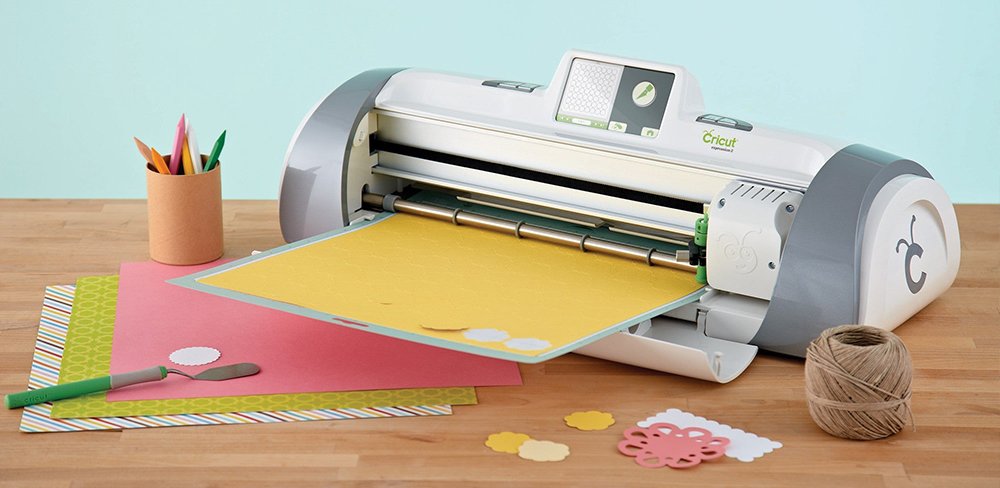
The Cricut Expression 2 has been one of the more popular cutting machines of its time. It’s an easy-to-use standalone tool that enabled thousands of crafters create meaningful projects. While it’s been discontinued for some time now, there’s still substantial interest in this legacy machine so we’ve decided to review how well its features stand up today and see whether it’s still worth getting.
Cricut Expression 2 Machine Review – Specs
| Model | Cricut Expression 2 |
 | |
| Price | Check Price |
| Dimensions | 23″ x 9.4″ x 11.3″ |
| Display | LCD Screen |
| Weight | 16.6 lbs |
| Max Cutting Area | 12″ x 24″ |
| Tools | Blade, Stylus |
| Tool Holder | Single |
| Software | Craft Room (discontinued) |
| Cartridges | Required |
| Computer | Compatible |
| Upload Own Design | No |
| Storage | No |
| Connectivity | Wired |
Design and Size
The Cricut Explore is a large yet lightweight cutting machine.

Compared to the bulky original Cricut Expression, the Expression 2 is definitely smaller and more portable, weighing only 16 pounds. You’ll still want to clear out a lot of room on your desk for it though. Other than its lighter build, there are more features that give the Cricut Expression 2 a healthy dose of portability and independence.
Cricut took out the finicky keypad layout at the top of the machine and replaced it with a nifty full color display. This LCD touchscreen is all you need to select and edit designs. There’s no need to connect the Expression 2 to a computer or mobile device; you’ll only need materials to craft with it. You can use the included stylus to navigate its menus easier. Overall, it’s a very welcome change from the super busy look and interface of the original.
While it’s less cluttered and easier on the eyes than previous machines, the Cricut Expression 2 looks positively dated compared to today’s design standards. There are also no storage compartments on the machine, a common inclusion in current models, so you’ll have to use other means of keeping tools and accessories organized and easy to find.
Cutting Power
The Cricut Expression 2 cuts a variety of materials well.
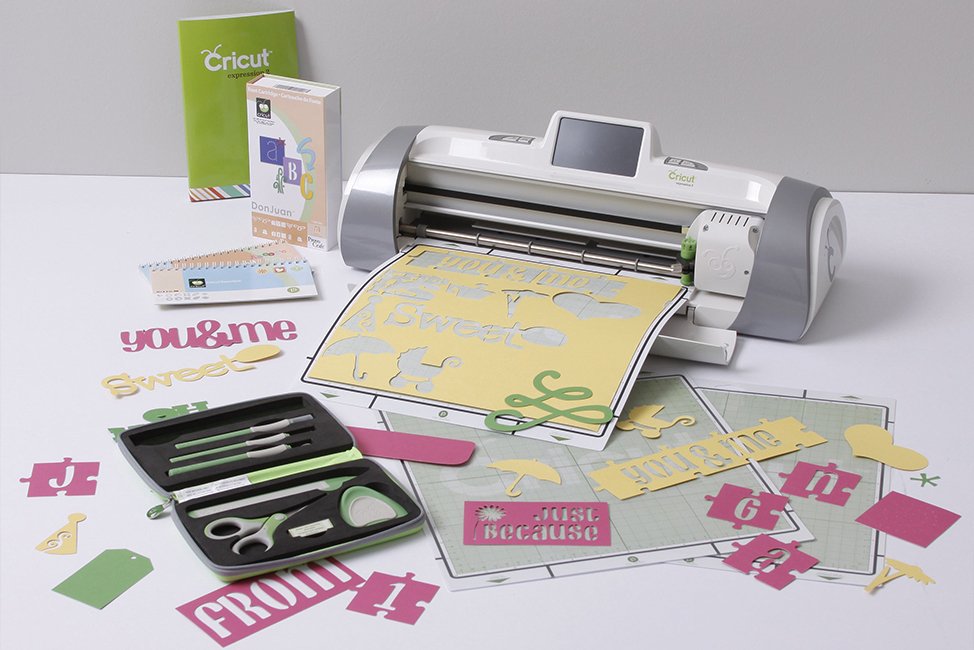
What good is a cutting machine if it can’t cut well? Well, thankfully the Cricut Expression 2 is great at its intended purpose. It stands out when cutting large designs on paper, vinyl, and cardstock. It can struggle on other materials though, since its downward pressure might prove insufficient for some types of fabric, for example. More complex designs that require precision cutting can also be challenging for it.
However, the bigger deal here is that you’ll find it difficult to get replacement blades for the Cricut Expression 2. Sooner or later, the included blade will dull with constant use. As the model is no longer sold by Cricut, you’ll have to look at other retailers for tools, parts, and materials for it. More to the point, most Cricut Expressions 2 that are still available today are used machines. You’ll have to wonder how long its blade stays sharp once you get it.
Ease of Use
The Cricut Expression 2 is easy to learn and doesn’t require a computer.

The standalone design of the Cricut Expression 2 is both its best and most frustrating feature. Yes, you’ll be able to simply power on the Expression 2, prepare your design, and cut it, all without using a computer. The LCD screen is in full color and readily visible, and you’ll get the hang of its interface in no time. It’s a breeze to navigate especially with the stylus. However, you’re now limited to just this UI and the designs already available in it or are in cartridges you own.
You see, Cricut has discontinued the Craft Room design software that was compatible with the Cricut Expression 2. You used to be able to connect it to a computer and edit designs using the software, which is what some prefer. More importantly, it provided access to many more designs than what was available in cartridges. With that gone, the number of designs you can cut has dwindled down to what you already have.
This severely limits what you can do with the Expression 2, since it only accepts images from cartridges and the Craft Room library. Cartridges that will work with this older model are also more difficult to find since Cricut doesn’t make new ones anymore either. So if you want to personalize a project heavily, you’re going to have to be really creative with the images you have, which is around 100 to 800 depending on the number already pre-loaded into the machine you acquire.
Verdict
The Cricut Expression 2 is an easy-to-use yet limited cutting machine.
Cricut Expression 2
With the improvements, new features, and better accessibility of current Cricut models, we can’t truly recommend getting the Cricut Expression 2 over the Explore Air 2 or
Still, if you’re looking for a simple cutting machine that can be used without a computer, the Cricut Expression 2 will serve you well. You’ll want to secure more cartridges to get access to more images but overall, the Expression 2 cuts well and fuss-free, which is more than what other older devices can offer.
FAQs
The Cricut Expression 2 is able to cut a variety of materials. It’s especially good at cutting large designs on paper, vinyl, and cardstock. It does, however, struggle with other materials such as fabric since its downward pressure might not be enough. More complex designs that require precision cutting can also be challenging for it.
Cricut has discontinued the Craft Room design software that was compatible with the Cricut Expression 2. You used to be able to connect it to a computer and edit designs using the software. This severely limits what you can do with the Expression 2, since it only accepts images from cartridges and the Craft Room library.
With the improvements, new features, and better accessibility of current Cricut models, we can’t truly recommend getting the Cricut Expression 2 over the Explore Air 2 or
The Cricut Expression 2 is easy to learn and doesn’t require a computer. Its LCD screen is a breeze to navigate especially with the stylus.