

The Cricut Explore Air 2 has been around for much longer than the Silhouette Cameo 4 which was only released in 2019. Are the features of the newer Cameo 4 worth shelling out more for? Or are you better off getting the

The Silhouette Cameo 4 offers similar features as the Cricut Maker at a lower cost. Apart from its wide range of cutting features, the Cameo 4 is also loved by advanced craft designers for its versatile design software.

Cricut Explore Air 2 vs. Silhouette Cameo 4 Comparison Chart
| Model | ||
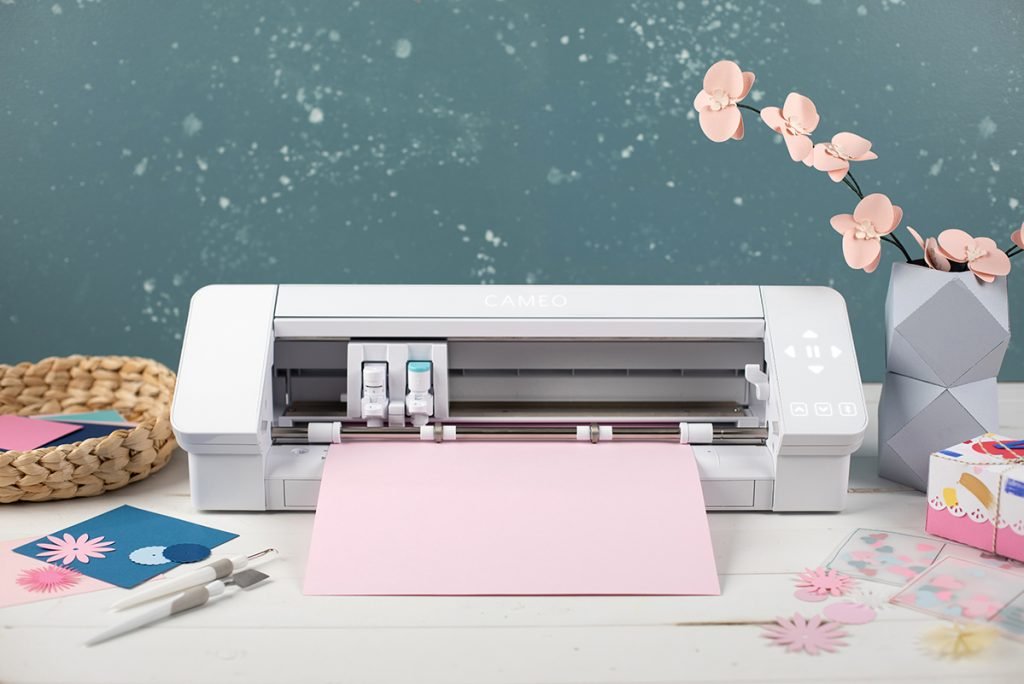
 |  | |
| Price | Check Price | Check Price |
| Max Cutting Force | 400 grams | 5000 grams |
| Max Cutting Size | 12″ x 24″ | 12 in. x 24 in. (mat) 12 in x 10 ft. (roll) the upcoming Pro and Plus versions will offer bigger cutting sizes |
| Software | Design Space® | Silhouette Studio® |
| Blade | Fine-Point Blade | AutoBlade |
| Double Cartridges | Yes | Yes |
| Colors | Blue, Cherry Blossom, Lilac, Matte Black, Twilight, Mint, Persimmon, Rose | White, Black, Pink |
| Bluetooth | Yes | Yes |
| Cutting Mat | 12″ x 12″ LightGrip machine mat | 12″ x 12″ cutting mat |
| Subscription | Free trial membership for Cricut Access | 1-month subscription to Silhouette Design Store |
| Machine Tools | Fine Point Blade Deep Point Blade Bonded Fabric Blade Scoring Stylus Cricut Pens | Auto Blade Rotary Blade Kraft Blade Punch Tool |
Downward Cutting Force & Speed
The Cameo 4 is incredibly more powerful than the Explore Air 2
There is almost no point in comparing the two when it comes to cutting pressure as the second carriage of the
The Explore Air 2 is still a great die cutting machine though if you only want to cut cardstocks, vinyl, iron-on, and thinner stabilized fabric.
Software
Cricut’s software is more user-friendly, but Silhouette’s allows more flexibility

More advanced designers who prefer using other design software such as Adobe favor the Silhouette Studio as it allows you to create and import your own designs. The
If you design through iOS, you can download your chosen designs and use Cricut’s Design Space and print offline. However, if you want to use your desktop or laptop, you need an internet connection to use the cloud-based Design Space. As for Silhouette Studio, you can use it offline without problems.
For those who often use SVG files, the Design Space by Cricut allows you to import them for free. On the other hand, Silhouette Studio requires you to upgrade and pay an extra $50 to be able to do this.

Create DIY designs quickly and easily with the Cricut Explore Air 2. Cut more than 100 materials twice as fast as previous Cricut models and personalize gifts, home decor and more.
Machine Tools
The Cameo 4 has more compatible tools than the Explore Air 2

With a powerful cutting force, rotary blade compatibility, and adaptive tool, the
On the other hand, the
Exterior Design
The

Cricut has continually released stylish cutting machines in a wide array of stunning colors and the Explore Air 2 is no exception. Meanwhile, the Cameo 4 only offers three colors to choose from. Unlike the Explore Air 2 that uses a dial to select your material, the Cameo 4 only has a touch panel to set-up your materials and tools.
The Explore Air 2 has more storage space. It has a pocket for your pens on the side and a tool drawer for other tools at the base. The Cameo 4 also has a sliding tray on the side that can fit an extra blade. What used to be a tool drawer from the Cameo 4’s predecessor, the Cameo 3, is not a built-in roll feeder and cross cutter. Cutting rolled materials has just become easier thanks to this feature.
Verdict
The Cameo 4 is packed with features worth your money, but for beginners, the
There is no question here. The small price difference between the two becomes insignificant when you consider the cutting power, speed, and wider material and tool compatibility of the Silhouette Cameo 4. If you see yourself doing more advanced techniques and working on thicker materials, the Cameo 4 offers incredible value for money.
If you think you will stick to cutting card stocks, vinyls, iron-on, and bonded fabric, the Cricut Explore Air 2 proves to be a solid and more user-friendly option. Since it has also been in the market for much longer, there is more support and more tutorials available online that can help you maximize the features of your Cricut.
You can read our comparison of the
FAQs
One of the main differences between the two is their cutting force. The
The Silhouette Cameo 4 has an adaptive tool feature that’ll make it compatible with new tools released down the line. This essentially makes it future-proof, so you’ll be getting your money’s worth.
The Cricut Explore Air 2 is worth the buy because it’s beginner-friendly yet capable of doing complicated cutting projects. Cricut has also been long in the market, meaning there are plenty of tutorials and support available online.